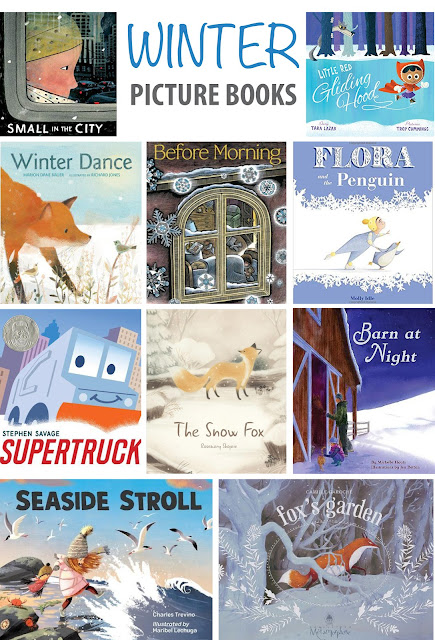
My newest book, BARN AT NIGHT came out recently, and I painted a bunch of snow scenes for it, which got me reminiscing about my favorite winter picture books – old and new! This was going to be a top 10 of my favorite wintry books, but there are too many!
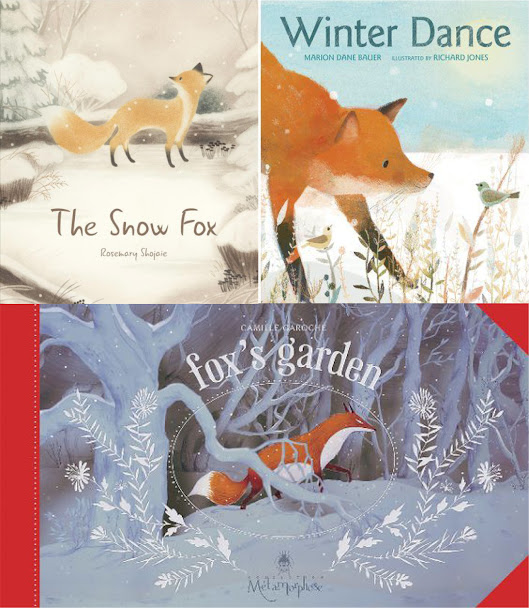
I seem to have a penchant for fox books: FOX DANCE is slightly instructional - the fox wonders what he should do as all the other animals are preparing for winter. FOX'S GARDEN is a gorgeous wordless story of kindness, and THE SNOW FOX is an absolutely charming friendship tale.
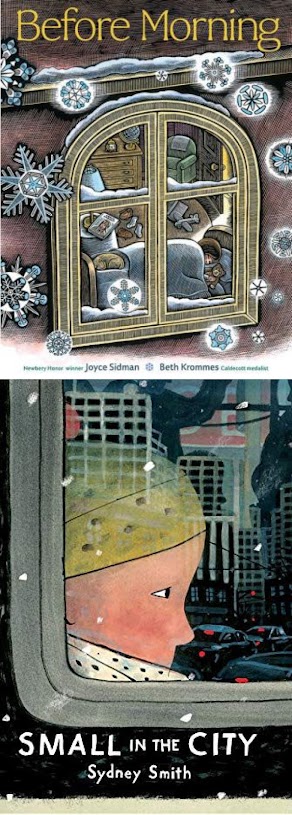
BEFORE MORNING has some of the most scrumptious poetic language, and it tells the story of a child's wish for snow. The visuals add another layer with the airline pilot mother getting snowed in and coming home. SMALL IN THE CITY is a quiet, wistful story that shows a city in winter as a boy talks to his (temporarily) missing cat.
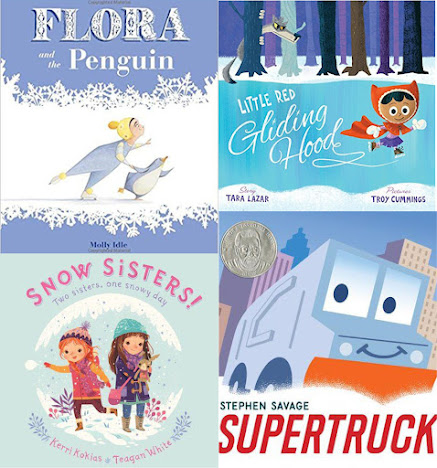
FLORA AND THE PENGUIN is a fun, wordless friendship story. LITTLE RED GLIDING HOOD is a great twist on the original story. SNOW SISTERS has a fantastic mirrored text which is reflected in the adventures of two sisters. And SUPER TRUCK is a plucky little trash truck who comes to the rescue in a snow storm.
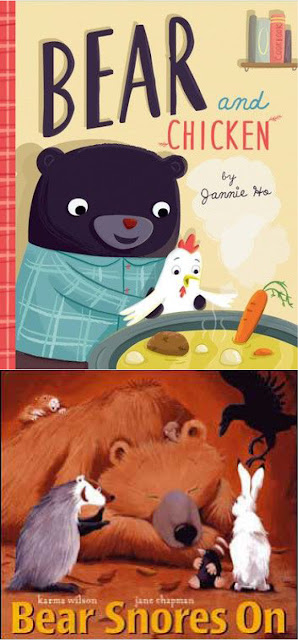
Two cozy winter books are BEAR AND CHICKEN, which is about misunderstandings and unlikely friends. And THE BEAR SNORES ON, which is a delightful party while bear hibernates story.
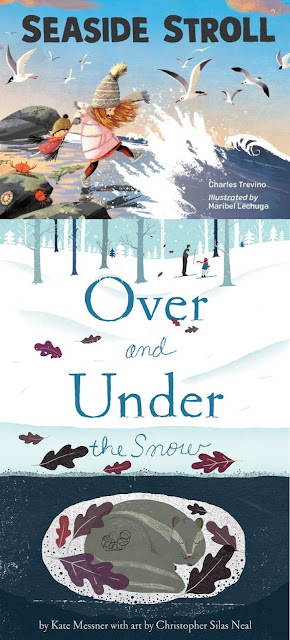
SEASIDE STROLL reminds me so strongly of the years I lived on the Northern California coast – and shows a glimpse of a rocky beach habitat. OVER AND UNDER THE SNOW is a great peek into the life of animals during the winter.
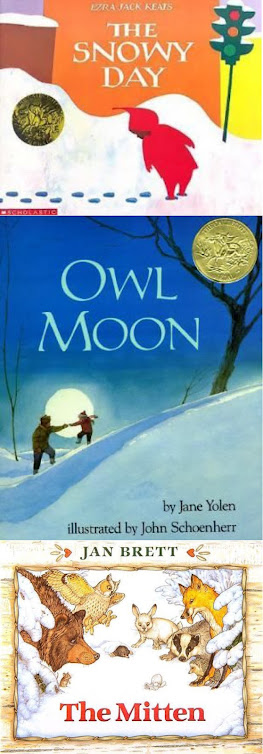
Some of my favorites are old classics. You just can't beat the charm of Peter's neighborhood exploration, or the stunning visuals of midnight owling. These stories are always top of mind for me in the winter.
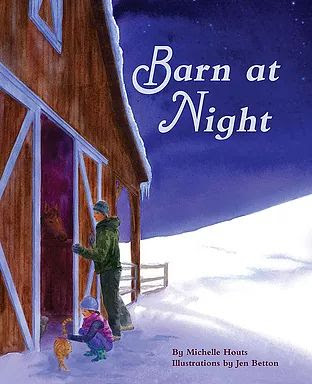
And finally, BARN AT NIGHT – it was great fun to illustrate Michelle Hout's text, and contrasting the chill snowy scenes with the warm barn interiors was one of my favorite parts.
I have more wintry books on my pinterest board, if you can't get enough! I'm sure there are many more that I didn't recall, I'd love to hear about your favorites!
Jen Betton wrote and illustrated HEDGEHOG NEEDS A HUG (Penguin-Putnam) and illustrated TWILIGHT CHANT by Holly Thompson (Clarion-HMH), and BARN AT NIGHT, by Michelle Houts and (Feeding Minds Press).
After attending Toni Buzzeo's wonderful workshop at The Writers' Loft on picture book structures, I started noticing them everywhere – Mirror, Circular, 3-tries, and Parallel stories: this is where the plot follows two characters on separate journeys through the story. Sometimes the two characters come together at the end, and sometimes they don't but their experiences echo each other. You see a lot of compositional mirroring that is frequently found in any plot where there is a lot of symmetry either between characters or between parts of the story.
Todays examples are all from author-illustrators! Toot and Puddle by Holly Hobbie, Blueberries for Sal by Robert McCloskey, and Emma and Julia Love Ballet by Barbara McClintock.
This story follows two friends: one who is a homebody and one who likes to go adventuring. Puddle stays home and enjoys life there, while Toot travels the world and sends back postcards. The months of the year serve as a framework, and at the end of the year Toot comes home. A typical spread shows a scene with Toot and a postcard on the left, and a scene with Puddle on the right. The two stories progress side by side.
I personally think this is one of the most perfect parallel stories I've ever read. This story alternates the two main character's adventures: first you see Sal eating blueberries with her mother, then Little Bear follows in almost exactly the same fashion. A lot of humor comes from anticipating that what you just saw happen to Sal will now happen with Little Bear, or vice versa. The two main characters never meet, but a great amount of delight can be found in reading about their two, almost exactly the same, adventures.
This story involves a day in the life of the two title characters: Emma, who is a little girl taking ballet lessons, and Julia, who is a professional ballerina. At the end, Emma goes to Julia's performance, which sweetly ties the characters together as well as ending the day.
I hope you find exploring story structures to be as fun and helpful as I do!
...................................
Jen Betton wrote and illustrated HEDGEHOG NEEDS A HUG (Penguin-Putnam) and illustrated TWILIGHT CHANT by Holly Thompson (Clarion-HMH). Her newest book, BARN AT NIGHT, written by Michelle Houts and published by Feeding Minds Press will be published in winter 2021.
Flow is the order in which the images are arranged – how you arrange your work showcases your storytelling ability, which is paramount in the children's book world. Treat your portfolio like a book! (While flow can also be applied to a website, the primary focus here is a physical portfolio.)
BEGINNING AND END: It's good to start and end with an eye-catching piece, your very best work. Some people actually create a "title page" with an illustration and their contact information (Molly Idle does this!). After your intro, you want to arrange your work in a way that feels natural, leading from one to another as smoothly as possible. If you have series of images (and you should!!), then they naturally group together. After that, you can try different arrangements to connect images by composition, color, or content.
Examples: Each of these pairings involve two images which are not from the same series, but share a visual commonality.
These two pieces have content similarity - a figure with hair blowing in the wind, as well as prominent blue tones. Even the composition has some similarities with the bottom weighting of the image.
These two pieces have color palette similarity, as well as the dots (of dandelions and fireflies) serving as a compositional similarity.
Example of a transition: The beginning and ending pieces in this sequence are each from a series. The two in the middle serve as a transition from the first series to the second. The first two images share a color palette and the outdoors, the middle two share a single child figure doing a similar action, and the last two images share a color palette and stars.
Here is a possible layout of an entire portfolio. Many other arrangements would also work. It starts with a single image, moves to a kid series, three additional single images, then an animal series, a single image to transition to a third series, and then a final, single closing image.
SECTIONS: If you have two separate, consistent styles you will want to create separate sections for them (they don't have to have a physical divider, but don't intermingle the images). You might have a section for your middlegrade vs. picture book work, or your black and white vs. your color images. Eliza Wheeler and Maple Lam both separate their portfolios into "light" and "dark" sections for the more colorful, lighthearted work, and the more monochrome, moodier work.
There are zillions of ways to arrange any given set of images, but taking a little time to lay it out carefully can really add cohesiveness to your portfolio! Flow is important enough that I will remove images that I'd otherwise include in my portfolio if they don't seem to fit into the flow.
P.S. The storytelling aspect is one reason why I don't use process work in my portfolio – it can disrupt the story. It is a great thing to include on your website, but since art directors mostly care about the finished image I do not include it in my physical book.
....................................
Jen Betton wrote and illustrated HEDGEHOG NEEDS A HUG (Penguin-Putnam) and illustrated TWILIGHT CHANT by Holly Thompson (Clarion-HMH). You can find more of her work here: www.jenbetton.com www.facebook.com/jenbettonillustration @jenbetton
For anyone looking for a simple approach to doing your own book trailer, I was able to teach myself how to create a simple trailer for both my books using iMovie. Here are some of the tutorials and resources I used.
FIND GOOD EXAMPLES: First, I identified a couple of "mentor" trailers – I was interested in doing something similar to the trailer for If You Want to See a Whale and Beekle. I wrote down how long each image was on the screen, how many images were used, and how long the overall trailer lasted.
WRITE A SCRIPT: You don't usually want to give away the ending/climax in your trailer, so I drafted a rough script to use that was based around the manuscript of my book. I added notes for which images from the book I wanted to use.*
ADD IMAGES AND TEXT: After that I plopped images from the book into iMovie, and started adding text. It is very easy to use, but a quick orientation video on YouTube helped get me started (there are a ton of these intro videos - just search for one that matches the version of iMovie you have). To do a similar trailer to the one I made, you just need to be able to add:
- images (pan/zoom with Ken Burns tool)
- transitions (between images)
- text
- audio
Before you add your images figure out the size image you want to use: You don't want to have too low-res of images in your video, in case anyone watches it full screen (I made that mistake a few times and it was a pain to replace those images). I used images that were around 1920 x 1080px (the size of my screen).
Closeup of upper left screen in iMovie - the menu options at the top allow you to add mages/audio/titles/transitions. I did not use any backgrounds.
In general I tried to keep the visuals simple - I only used two types of "titles" (upper and lower) to place my text. I only used one type of transition (cross-dissolve), and no backgrounds. I did use the Ken Burns effect on pretty much every image (it allows you to crop, pan/zoom) but tried not to go overboard.
For most of the text I just used the native iMovie text tool, but for the fancy lettering from my book covers I needed to use an image overlay. You need Photoshop or other image-editing software for this - the advantage to it is you can use nicely designed text and put it anywhere on the screen. This video was really helpful: here.
MULTI-STAGE KEN BURNS: Next, I wanted to have an image stop zooming and be still on the screen for a few moments at the end, and I wanted it to transition smoothly. To do this, I set up the "Ken Burns" effect I wanted, then watched the movie full screen. I paused it and took a screen shot of the end frame, and used that for my still image, which I inserted immediately after the image with the pan/zoom effect. I did this for both trailers, so that I could stop or shift direction of the pan/zoom for the end text. This was much easier than trying to align the crop and zoom start and stop locations on the images.
You can see here for the effect I used at the end of the TWILIGHT CHANT trailer, I used three different instances of the same image. I created the middle pan/zoom effect first, then went back and created full-screen screenshots of the start and stop points and added those screenshots before and after the pan/zoom. This allowed me to 1) zoom out slowly, 2) then quickly pan/zoom to the right, 3) then slowly zoom in instead of all at one speed/direction. If you use this technique be sure NOT to put any transitions between the images you are using for a smooth, continuous shot.
AUDIO: This was by far the most difficult part for me. Finding a song that had the right feel, instrumental but not classical or new age, modern but not pop or rock, with the right tempo.... it's not my forte! But the website I used has a lot of great songs, which you can search by instrument or mood. Audio Network allows you to license the songs for a very small fee, and then you can adjust the volume level, fade in and out, trim the length, and even adjust the speed of the song in iMovie. Here is one of the tutorial videos I looked at: here.
www.audionetwork.com
Then it was just a matter of exporting the file and uploading it to YouTube! Matthew Winner was wonderful enough to premier my book trailer on his website, along with an interview, here.
You can view both the book trailers for my books here. I encourage you to try making your own! It was much easier than I thought it would be, and a lot of fun.
*for traditionally published authors/illustrators it's important to get permission from your editor to use more than just a few images from the book – your contract will specify how many. Luckily, my editors for both books were on board with using a larger selection of images.
.................................
Jen Betton wrote and illustrated HEDGEHOG NEEDS A HUG (Penguin-Putnam), and illustrated TWILIGHT CHANT (Clarion-HMH). You can find her here:
I can't believe it's been over SEVEN YEARS since the KidLitArtists.com blog launched. Whoa. It began when a group of us (John Deninger, Kimberly Gee, Ashley Mims, Andrea Offermann and Eliza Wheeler and me) were chosen for the SCBWI Illustration Mentorship Program in 2010.
The six of us met after our mentor sessions and compared notes, talked about how we could make the most of the opportunity generously given to us by the SCBWI Illustration Board.
I started a private a email list to help us keep in touch and exchange info as well as registering KidLitArtists.com domain. After coordinating with the other Class of 2010 Mentees, I launched our blog and Twitter account. This was what the original name and banner looked like (designed by Eliza Wheeler):
In addition to posting updates about our illustration projects, we also shared info about what we learned during our mentorship sessions as well as other tips resources and industry news of interest to children's book illustrators.
The SCBWI Illustration Board was so impressed by the blog that they asked if we could open it up to other Mentees, past and future. Of course we said YES! Eliza Wheeler came up with the banner above, using part of one of my bunny drawings. The mailing list was replaced by a private Facebook group, and we also started a public FB Page. Eliza organized the blog posting schedule, and each new class of Mentees picked a point person for group-wide orientation and communication.
Although I don't have as much time to be as involved behind-the-scenes at KidLitArtists as I used to, I still commit to posting to the blog a few times a year, no matter how crazy things get because I remain incredibly grateful to the SCBWI for helping to jumpstart my career back in 2010, and I want to give back in what way I can.
Meanwhile, I am also thankful to those SCBWI Illustration Mentees who have volunteered to keep things going behind-the-scenes despite their own busy schedules!
Jen's debut solo picture book, HEDGEHOG NEEDS A HUG, launches from Penguin Putnam in Summer 2018....congrats, Jen! You can read her news in this blog post.
Jen's illustrations will also be appearing in TWILIGHT CHANT written by Holly Thompson, launching from Clarion in 2018. You can find out more about Jen and her work at JenBetton.com. Jen is represented by Jen Rofé at the Andrea Brown Literary Agency.
Ana's illustrations can be found in picture books published in France and Italy, and her debut picture book in the U.S., THE CHUPACABRA ATE THE CANDELABRA (written by Marc Tyler Nobleman) was published by Nancy Paulsen Books/Penguin earlier this year. Get a peek at her book here in this fun Let's Read Stories reading:
You can find out more about Ana and her work at Anaranda.com.
Meridth McKean Gimbel, who helps posts to our Twitter account, also recently launched our Instagram account (THANK YOU, MERIDTH!!!). Here's Meridth when she won a SCBWI-LA Illustration Mentorship award in 2015:
Meridth also shares all kinds of great info and insights on her own blog, like her "Putting Together A Dummy The Smart Way" post. You can find out more about Meridth and her work at MeridthMcKeanGimbel.com. Meridth is represented by Linda Pratt of Wernick Pratt.
Others helping behind-the-scenes, including a gradual revamp of our blog and some of our social media include K-Fai Steele and Susie Ghahremani.
Susie has several books out already, including her debut solo picture book, STACK THE CATS (Abrams Appleseed).
K-Fai, Susie and some of other Mentees are gradually revamping the KidLitArtists website and social media, so do keep an eye on this blog, Twitter, Facebook Page and Instagram!