Monday, February 25, 2013

Transfer Your Sketch with Gel Medium - by Karyn Raz

In a recent post, Jen Betton outlined many different methods for transferring your drawing. I'd like to demonstrate one that's great for preserving the initial gesture in your drawings. In short, you photocopy your sketch and use gel medium to secure it onto the surface you’ll be painting on. For me, that surface is usually wood, but this approach also works well on illustration board.

Note: this method is best for painting in acrylic. Painting on top of gel medium is not recommended if you’re using water-based paints like watercolors or gouache.

Here’s how it’s done.

1) Sketch.


2) Photocopy your sketch.


3) Cut the photocopy down to size.

4) Cover the surface you’ll be using with gel medium. I recommend Liquitex Glossy Gel Medium or Utrecht Matte Gel Medium. 
Use a flat, medium-sized brush.
Try to spread the medium evenly so it doesn’t clump.


5) Place the photocopy on the surface and press thoroughly. 

6) Apply another layer of gel medium onto the surface of the photocopy. 

7) Blow dry the surface, occasionally pressing to make sure the photocopy is flush with the surface.

Now you’re ready to paint!

...........................................................................................................
Karyn Raz makes art in Santa Monica, California.

Monday, February 18, 2013

On-The-Go Studio -by Maple Lam

Once in a while, I pack up my "on-the-go" gears and work at a nearby coffee shop.  I like to pick and choose my tools, depending on what I will be working on.

The key is to travel light but still have all the things you need.  :)

The tech stuff:

•  I use a small Artograph lightbox
•  I save everything on the external drive and put it back in my desktop when I get back to the studio.

The idea stuff:

•  I like HB & 2B for pencils & Zebra Clip-On with 4 colors + mechanical

The watercolor stuff:

•  I bought the small water color containers at a Japanese dollar-store.
•  I use the lids as water containers.  Fill both lid-containers with water.  Use one to clean up the brush, and the other one should always have relatively clean water.  When the water gets murky, I pour it into the "dirty" container and refill the lid with clean water.  It saves me time running back and forth the coffee restroom to get clean water.
•  For watercolor pads, I switch between Canson and Arches.
•  I bought the spray bottle at a local Target.

The other useful stuff:

•  I bought my mini scissors in Hong Kong, but there are some really neat ones online, like this one.

The entire studio:
(I can fit them all in my backpack if needed.)


My "on-the-go" gears are an accumulation of trials-and-errors as well as observation of how others work. I am sure through time, you too will find your personal perfect "on-the-go" gears.  When you do, please drop us a line on the comments below.  We would love to learn from each other!

Note: If you only have room for two things, bring your sketchbook and a pen/pencil.  They are your best friends!

----------------------------
Maple Lam illustrates and writes for children's books.  You can check out more of her work at www.maplelam.com.

Tuesday, February 12, 2013

Drawing Transfer Methods

The part of a painting I love the least: transferring the drawing. After the labor and time to get the drawing juuuuuust right, I have to copy it onto a new surface in order to paint it. Here are the different methods of doing this and their pros and cons.

Just draw directly on the painting surface:
Pros: This method ensures the freshest drawing - it IS your original you paint on top of! You can do it anywhere, on any surface, at any size.
Cons: if you are using washes (thin acrylic, ink, watercolor), erasing can abrade the paper, and pressing too hard with the pencil can create grooves - both will change how the paper reacts to your paint or ink.

Luciograph/ Opaque Projector: Old 'Lucy'. Both of these machines take your drawing and project it onto a flat surface. You turn off all the lights and trace the projected lines onto your painting surface. I used a luciograph all through school. When I went to the Illustration Academy at Ringling, Lucy was in an outdoor closet. Now imagine yourself locked inside a completely dark closet, in Florida, in the summer. The heat is sweltering, but you've got a thick sweatshirt on with the hoodie up and drawn tight around your face because otherwise the mosquitoes that live in the outdoor closet will eat you alive! One time the back, metal lid of the Lucy fell open into my face, neatly skinning my nose. See why I don't like transferring drawings?

Opaque Projector

Pros: Aside from my personal fights with Lucy, a projector method is great for quickly resizing. You can also use any thickness of paper.
Cons: You can run into problems with the projector slipping just a little over the time it takes to copy your drawing, so that parts of the image are just off from each other. So, copy the most important parts first, and make sure you check your image by turning the lights back on again periodically. The other problem with this method is you need access to this piece of equipment, which is not an option for a lot of people once they are out of school.

Lightbox: You sandwich your drawing behind your paint surface, use a well lit window or a lightbox to project the drawing up through the paper.

Drawing over a lightbox.
Pros: Windows are everywhere, and you can see your new drawing pretty clearly as you work.
Cons: Must have thin enough paper to see through.

Graphite Transfer: This is the method I use now. You use a piece of paper that has been prepared with powdered graphite. You sandwich your drawing on top, the graphite paper (face down) in the middle, and your painting surface on the bottom. Be sure to tape the top of your sandwich to the bottom (drawing to the painting surface), and let the transfer paper float in between. You then redraw your lines on the drawing, and the graphite powder will reproduce the drawing where you press down. Since I don't like ruining my original drawing, I scan it and then reprint it at the size I want. This also lets me size up or down from the original. I use a blue ball point to draw over my lines, so that way I can see where I have already drawn.

Pros: It's easy to make your own transfer paper, cheap, and can do it anywhere, at any time. You can also use thick boards and canvases with this method.
Cons: You end up re-drawing a lot, since the trace is clumsy.

Printing: If you have a thin enough paper, you can run it through your printer. I tried this method for my last piece and it worked pretty well, although I missed using my thick illustration board.

Pros: This is great because it reproduces your exact drawing, quickly.
Cons: you are limited by the size of paper your printer takes, and the thinness of the paper.

Collage: You take the original drawing or a print of it and use matte medium to paste it onto a thicker painting surface.

Pros: This captures your original drawing, and is very quick. It can work well for acrylics or oil.
Cons: You have to work on the surface that the drawing paper & matte medium creates.

Thursday, February 7, 2013

Process: Brian Won

Welcome to a new installment of the KidLit Artists series on Process. This month, Brian Won will share his steps to creating an illustration.


Step 01: Reference
Before I begin an illustration, I like to gather reference. Its an excellent way to waste time and feel good about working. The final illustration was inspired by a photo of me awkwardly carrying my son.


Step 02: Illustrator
I work primarily on the computer. The constant battle is to create a digital illustration that looks hand done. One thing that helps "soften" vector illustrations is to use the roughen effect in Adobe Illustrator. It creates an uneven wobble to the edges. 


Step 03: Pen
For this cat illustration, I felt it would be nice to add pen lines as fur. I print the vector illustration and use a light box to trace. Next, I scan the pen lines and import the image into photoshop.


Step 04: Photoshop Texture
This is my favorite step. Once I bring all the elements into photoshop, I move the textures around until it feels right. It's less of a commitment than painting and I enjoy the controlled chaos. One thing to remember is when using different blend modes also adjust the opacity of the layer. For example, using overlay at 100% opacity vs 20% opacity yields different results. You can google textures or purchase them here.


Step 05: Finishing Touches
At this point, I will flatten the layer and do some color tweaks. I fill a layer with one solid color and apply the blend mode, soft light, to the whole illustration with 20% opacity (This unifies the colors). Enjoy!

-- 
Brian Won is an illustrator and 2012 Kid Lit artist. You can see his work at brianwon.net On twitter @bwon1

Wednesday, February 6, 2013

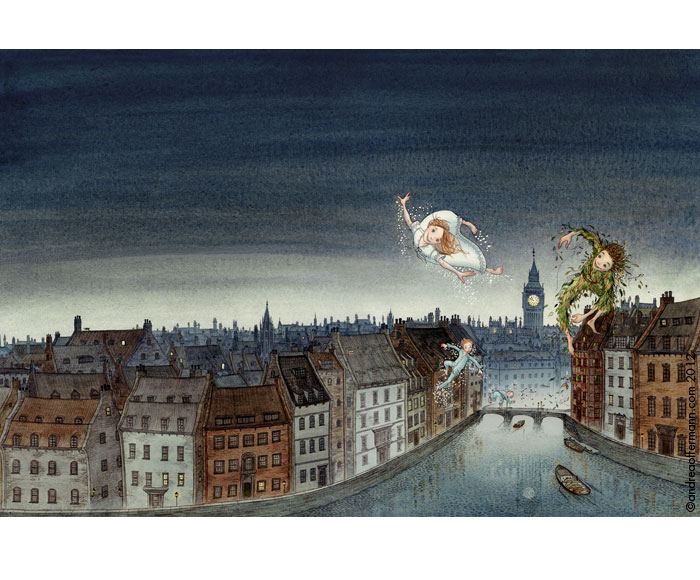
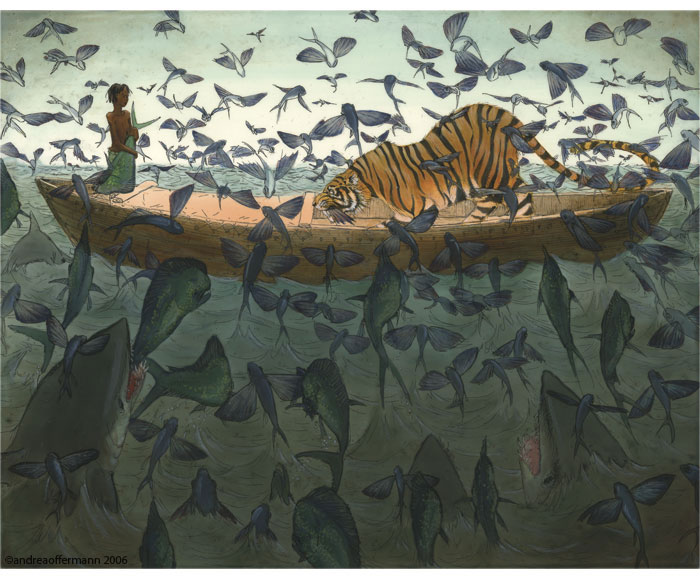
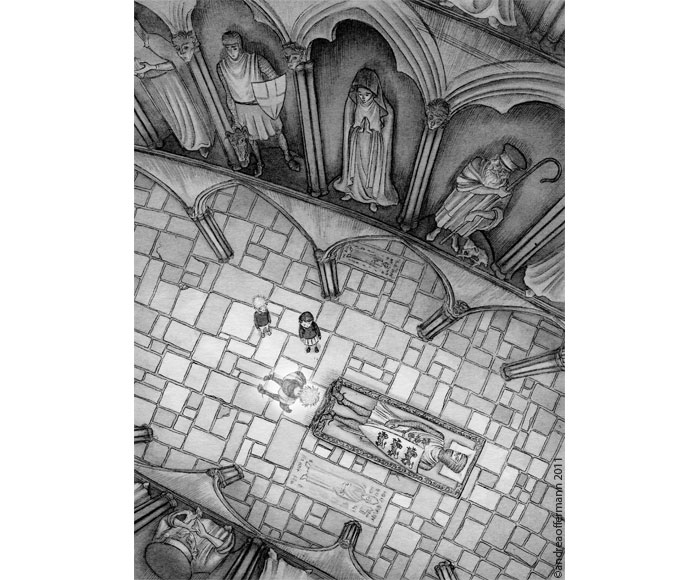
News! Andrea Offermann wins SCBWI Portfolio Showcase!

I am very excited to report that Andrea Offermann won the SCBWI New York conference Portfolio Showcase Grand Prize! She will be flown back to NYC to meet with art directors sometime later this year. This year's showcase had over 300 portfolios - more than ever before! Congratulations Andrea!! You can see Andrea's wonderful work here

Andrea receiving her award
Andrea Offermann
Andrea Offermann
Andrea Offermann
Go KidLit Artists!! This makes 6 of us now that have won a portfolio showcase award, most after being in the Mentorship program for a year or two: Andrea Offerman (Grand Prize, SCBWI NY 2013), Juana Martinez-Neal (Grand Prize, SCBWI LA 2012), Eliza Wheeler (Grand Prize, SCBWI LA 2011), Juliana Brion (Honor Award, SCBWI LA 2011), John Deininger (Honor Award, SCBWI LA 2011), and Debbie Ohi (Honor Award, SCBWI LA 2010). 

Portfolio Showcase - photo by Debbie Ohi
P.S. For anyone wondering, the mentors are not judges for the portfolio showcase awards.